Unlocking Creative Potential with Canva Product Templates Wallart Journal
When you're building a brand or launching a new product line, the gap between your creative vision and the final design can feel enormous. You might have a clear idea for a tumbler collection or a cohesive junk journal aesthetic, but translating that into polished, professional assets takes time and skill. The Canva Product Templates Wallart Journal bundle exists to bridge that exact gap, offering over 350 design assets that work seamlessly within Canva's free platform.
What Exactly Is This Template Bundle?
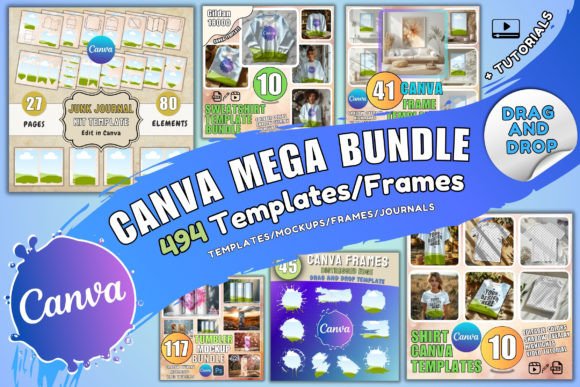
At its core, this is a curated collection of design assets built specifically for Canva. After purchase, you receive three PDFs containing download links and access information. The bundle includes 41 wallart templates, 115 tumbler templates and mockups with rotating views, 10 shirt templates with PNG mockups, 10 sweatshirt templates, 80 junk journal elements, 9 blanket templates, and 92 Canva frames featuring splash effects, alphabet designs, and heart shapes. You also get 13 tutorials to walk you through the process.
What makes this collection stand out from scattered free resources is its cohesion. Rather than hunting for individual mockups and trying to force them into a unified aesthetic, you're working with assets that share a visual language. The wallart templates lean into a modern, clean style that balances whitespace with bold focal points. The junk journal elements carry that handmade, layered texture that makes physical products feel authentic and tactile. The tumbler mockups provide those crucial rotating views that let customers visualize a product from every angle before purchasing.
Where These Templates Shine in Real Projects
The practical applications stretch across multiple creative disciplines. If you're a small business owner selling print-on-demand products, the shirt and sweatshirt templates give you professional mockups without hiring a photographer. The tumbler templates are particularly valuable for Etsy sellers and Shopify store owners who need consistent product imagery across dozens of listings. Instead of spending hours staging and photographing each design variation, you can drop your artwork into a template and have a polished listing image in minutes.
For content creators and bloggers, the junk journal elements open up an entirely different creative avenue. You can design printable journal kits, digital planners, or collage-style social media graphics that feel handcrafted. The wallart templates work beautifully for anyone running an interior design blog, a home decor Instagram account, or even a real estate staging business that needs lifestyle imagery.
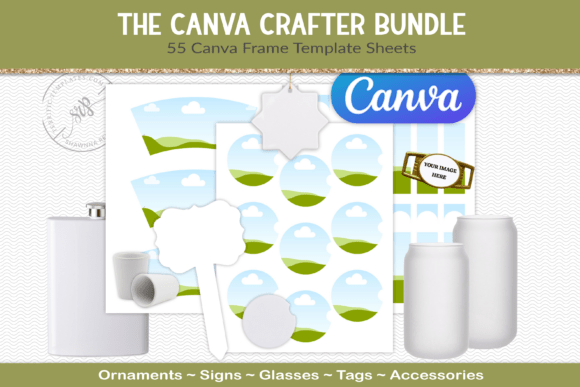
Designers and marketing professionals will find the 92 Canva frames especially useful for social media campaigns. The splash frames add dynamic energy to promotional graphics, while the alphabet and heart frames work well for personalized gifts, event invitations, and seasonal marketing. These aren't static images sitting in a folder somewhere. They're functional design assets that integrate directly into your existing Canva workflow.
Practical Considerations Before You Buy
One detail worth noting upfront: the templates use non-standard ratios. This isn't a flaw so much as a consequence of how the assets were created. For most digital product listings and social media posts, this won't cause problems. However, if you're working on a project that demands exact dimensions—like a specific print format or a platform with rigid image size requirements—you'll want to test the templates first to see how they adapt.
Since everything runs through Canva, you need at least a free account to use the bundle. This is actually a significant advantage for people who don't want to invest in Adobe Creative Suite or learn complex design software. Canva's drag-and-drop interface means you can customize colors, swap text, adjust layouts, and export finished designs without any technical barriers. The 13 included tutorials are worth watching even if you're comfortable with Canva, because they likely cover specific techniques for modifying these particular templates efficiently.
The licensing terms are straightforward and business-friendly. You can use these assets for both personal and commercial projects. You can sell products created with these templates. What you cannot do is resell the templates themselves, give them away, or incorporate them into other digital products or template bundles for distribution. This is standard for commercial font and asset licensing, and it protects both the creator and you as a buyer.
Making the Most of Your Investment
The real value of a bundle like Canva Product Templates Wallart Journal comes from how you customize it. Two people can buy the same 350 assets and create completely different product lines, depending on their color choices, typography selections, and layout modifications. Think of these templates as a professional starting framework rather than finished products.
Pair the wallart templates with complementary typefaces that match your brand personality. If your brand identity skews modern and minimal, stick with clean sans serif font options for any text overlays. For a more editorial or traditional aesthetic, a well-chosen serif font can add sophistication. The junk journal elements, on the other hand, often pair better with script font or handwritten font styles that reinforce that handmade quality.
For entrepreneurs building a brand identity from scratch, this kind of template bundle accelerates the process considerably. Instead of starting every design project from zero, you have a library of professional mockups and frames ready to go. That consistency across your product listings, social media graphics, and marketing materials builds recognition with your audience faster than sporadic, mismatched visuals ever could.
Whether you're designing your first product line or expanding an existing catalog, having reliable, customizable templates in your toolkit removes friction from the creative process. The Canva Product Templates Wallart Journal bundle does exactly that—gives you a substantial library of assets and the tutorials to use them effectively, all within a platform you probably already know.