Speed Up Your KDP Book Cover Design with Canva Templates
Creating a professional book cover for Amazon KDP doesn't have to drain your time or budget. The Canva KDP Cover Templates Bundle is designed specifically for self-publishers, designers, and content creators who need polished covers quickly—without wrestling with complex design software. This bundle focuses on the practical dimensions of 8.5x11 inches, which works perfectly for journals, workbooks, activity books, and other low-content publications.
What's Inside the Canva KDP Cover Templates Bundle
This isn't a sprawling collection that overwhelms you with options. It's a focused, intentional set of design assets built to solve real problems. Here's what you get:
- 1 book cover template for general use
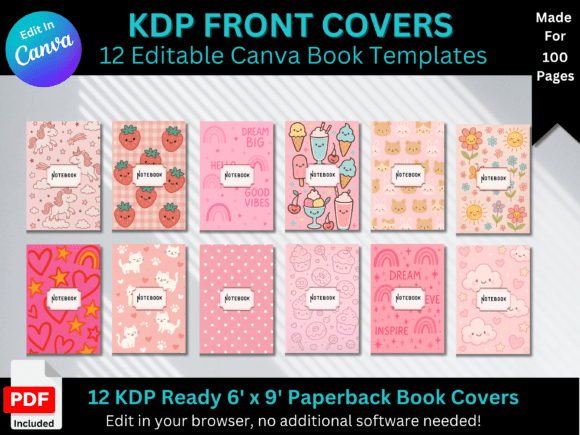
- 5 kids' book cover templates with playful, engaging compositions
- 3 label text cover book templates for clean, typography-forward designs
- 1 lined paper interior page
- 1 grid paper interior page
- 1 dot paper interior page
- 5 background patterns for layering and customization
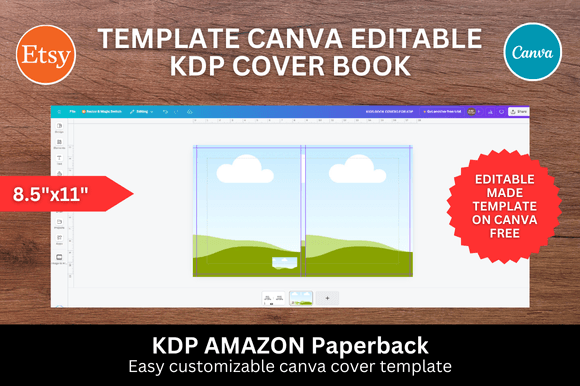
Each template is sized at 8.5x11 inches, so you're working within KDP's standard specifications from the start. No resizing headaches. No bleed adjustments to figure out on your own. The dimensions are locked in, and you simply upload your images using Canva's drag-and-drop interface.
Why This Bundle Works for Self-Publishers
Time is the biggest bottleneck for most independent publishers. You might have a dozen journal ideas ready to go, but designing each cover individually slows everything down. The Canva KDP Cover Templates Bundle cuts that process dramatically. Once you open a template in Canva, you can swap out placeholder images, adjust colors, and modify text in seconds rather than hours.
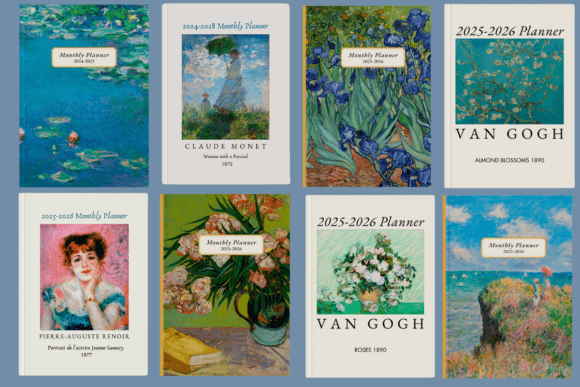
The visual style of these templates leans toward modern, approachable design. The kids' covers use bright, engaging compositions that appeal to young readers and parents browsing Amazon. The label text covers offer a more refined, minimalist aesthetic—ideal for adult journals, planners, and notebooks where clean typography drives the visual hierarchy. The background patterns give you subtle texture options that add depth without competing with your title or imagery.
Practical Applications Beyond Journals
While the bundle is optimized for KDP publishing, the templates work well across several project types. Bloggers can use them to create branded workbooks or lead magnets. Small business owners might design client handouts or workshop materials. Crafters can produce custom notebooks as gifts or small-batch products. The 8.5x11 inch format is versatile enough for print design projects that extend beyond Amazon's marketplace.
The kids' cover templates, in particular, are useful for teachers, homeschool parents, and educational content creators. You can drop in illustrations or photographs, adjust the color palette to match your brand or theme, and have a finished cover ready for upload in minutes. The included interior pages—lined, grid, and dot paper—mean you can assemble a complete book package without sourcing additional design assets.
How to Evaluate if This Bundle Fits Your Workflow
Before committing to any template bundle, it's worth thinking through how it integrates with your existing process. A few considerations matter here.
Software requirements: You need a free Canva account. That's it. No paid subscription, no additional plugins, no specialized software. If you're already using Canva for social media graphics or other projects, these templates drop right into your workspace.
Customization depth: Canva's editor lets you change colors, fonts, images, and layout elements freely. However, if you need advanced features like custom bleed settings or CMYK color profiles for professional printing, you'll want to handle final formatting outside Canva. For most KDP submissions, the standard export settings work fine.
Design skill level: The templates are built for people who aren't professional designers. The layouts are structured so that swapping images and text produces a cohesive result without requiring an understanding of visual hierarchy or composition theory. That said, experienced designers will appreciate the time savings and can push the templates further with custom elements.
Testing Font Pairings and Color Schemes
One advantage of working in Canva is the ability to experiment quickly. Try different font pairings with your cover template before settling on a final design. A bold sans serif headline paired with a clean serif subtitle often works well for adult journals. For kids' covers, playful handwritten fonts or rounded sans serifs tend to perform better. Canva's built-in font library gives you plenty of options without needing to purchase additional typefaces.
Color adjustments matter too. The templates come with default color schemes, but you should align them with your book's subject matter and target audience. A meditation journal benefits from muted, calming tones. A fitness planner might call for bold, energetic colors. The background patterns in this bundle work as a base layer—adjust their opacity or overlay them with solid colors to create the mood you're after.
Commercial Use and Licensing Considerations
If you're publishing on KDP, you're creating a commercial product. Make sure any images you upload into the templates are properly licensed for commercial use. The templates themselves are designed for this purpose, but your photographs, illustrations, and any third-party design assets need appropriate licensing. This is where many self-publishers run into trouble—not with the templates, but with the elements they combine with them.
The Canva KDP Cover Templates Bundle gives you a strong structural foundation. Your job is to bring the creative direction—your subject matter, your brand identity, your audience's expectations. When those pieces align, the result is a professional-looking book cover that competes effectively in Amazon's marketplace without the overhead of hiring a designer for every project.
Building Consistency Across a Series
If you're publishing multiple books—say, a line of themed journals or a kids' activity series—consistency in your cover design builds brand recognition. Using the same template family across titles creates visual cohesion on your Amazon author page and in search results. The templates in this bundle share enough stylistic DNA to work as a series while offering enough variation to distinguish individual titles.
Start with one template, establish your color palette and typography choices, then apply those decisions across subsequent books. This approach saves time and strengthens your publishing brand. Readers browsing Amazon will recognize your covers at a glance, which directly impacts click-through rates and sales.
The bottom line: this bundle removes friction from the cover design process. It won't replace a skilled designer for complex projects, but for the majority of low-content KDP publications, it delivers exactly what you need—fast, professional results with minimal effort.