Streamline Your Etsy Shop with These Canva Listing Templates
Standing out in a saturated marketplace like Etsy or Creative Market requires more than just a great product; it demands exceptional presentation. When a potential buyer scrolls through hundreds of digital items, your thumbnail and listing images are the only tools you have to stop their thumb. This is where the Creativefabrica Listing Canva Templates set becomes an indispensable asset for digital creators. Rather than wrestling with blank canvases or inconsistent branding, this package offers a cohesive visual language designed specifically to highlight digital goods. It bridges the gap between a high-quality product and a professional sales pitch, ensuring that your shop looks established, trustworthy, and visually appealing.
The Anatomy of a High-Converting Listing Image
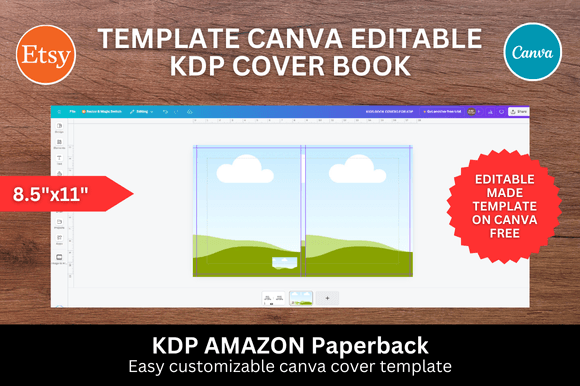
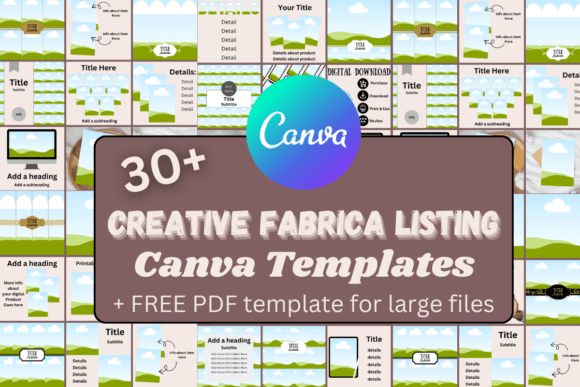
Understanding the visual characteristics of this template set is key to utilizing it effectively. The aesthetic leans towards modern typography and clean layouts, avoiding the cluttered look that often plagues digital storefronts. The dimensions are set to a standard 1200x800 pixels, which is the native aspect ratio for most marketplace listing images, ensuring your graphics won't get awkwardly cropped on different devices.
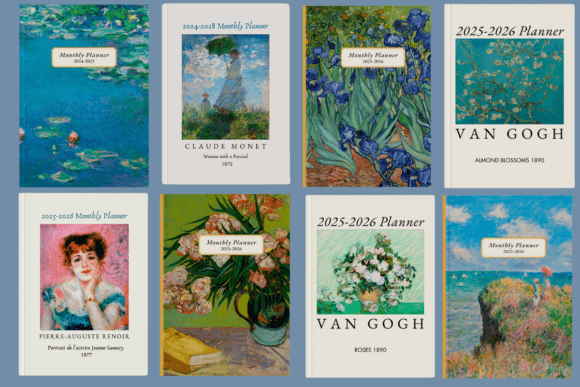
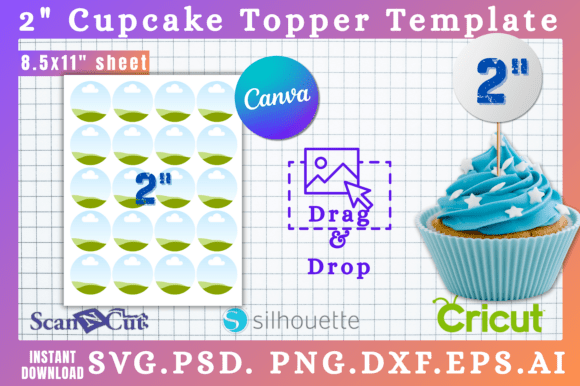
Visually, the templates balance negative space with focal points. They typically feature designated areas for mockups, allowing you to showcase your product in context—whether it’s a logo design on a business card, a pattern on fabric, or a planner on an iPad. The personality of these designs is professional yet approachable. They don't scream for attention with neon colors; instead, they use structured visual hierarchy to guide the viewer’s eye from the main product image to the supporting details. This creates a sense of brand identity that suggests reliability. If your branding colors are soft pastels, the neutral backgrounds of these templates allow those colors to pop. If you prefer bold, high-contrast styles, the customizable nature of the Canva templates ensures the layout supports that energy without falling apart.
Practical Applications for Digital Sellers
The versatility of this collection extends far beyond simple "digital download" listings. For the content creator or blogger, these templates are perfect for creating cohesive promotional graphics for social media. You can use the same visual language for your Etsy listing as you do for your Instagram Stories or Pinterest pins, reinforcing brand recognition across platforms.
Here are specific scenarios where this set excels:
- Font and Graphic Designers: When selling a premium font or a set of illustrations, the layout provides ample space to show character maps or individual glyph details. You can easily pair a display font preview with a mockup of packaging design to show real-world application.
- Planner and Journal Creators: The structured grids are ideal for showing interior page layouts. You can demonstrate the paper texture or the functionality of hyperlinks within the PDF.
- Photographers and Preset Sellers: Use the side-by-side comparison layouts to show "Before" and "After" shots of your Lightroom presets, a crucial selling point for photography assets.
- Web Designers: Showcase your website templates by embedding screenshots into device mockups within the Canva frames. This helps clients visualize the web design on both desktop and mobile.
The Bonus PDF Link Template
A standout feature included in this package is the bonus PDF Link template. For anyone selling digital products, the customer experience doesn't end at the checkout. Delivering the files is part of the service. This specific template allows you to create a clean, branded instruction sheet or a "read me" file that includes clickable links.
This is particularly useful for redirecting customers to a tutorial video, a feedback form, or your social media pages. Instead of sending a plain text document, you are sending a piece of design assets that continues the professional experience. It ensures that the unboxing—digital or otherwise—feels premium and curated.
Design Strategy and Customization
While the templates provide the structure, the success of the listing relies on how you adapt them to your specific brand identity. A common mistake is simply dropping images into the placeholders without considering the overall flow.
When customizing, pay attention to font pairing. Even though the templates come with suggested text styles, you should swap them out for your own brand fonts. If your brand uses a sans serif font for headings and a script font for accents, apply that consistently across all 30+ templates to create a unified shop front. Consistency is the bedrock of professionalism; it tells the customer that you pay attention to details.
Color theory plays a significant role here as well. Use the eyedropper tool in Canva to match the background or accent colors of the templates to the dominant colors in your product. This creates a visual connection between the marketing material and the product itself. For example, if you are selling a handwritten font that is whimsical and light, avoid heavy, dark borders in the template. Instead, utilize the white space to let the typeface breathe.
Evaluating Fit and Readability
Before finalizing your designs, it is vital to test for readability and fit. A listing image is often viewed as a small thumbnail on a mobile phone. Details that look crisp on a desktop monitor might become muddy noise when shrunk down. Always zoom out or view your Canva design on your phone before downloading.
Ask yourself these questions during the review process:
- Is the product clear? The viewer should understand what you are selling within two seconds. The Creativefabrica Listing Canva Templates are designed to prioritize the main image, but ensure your mockup isn't too busy.
- Is the text legible? If you are using a decorative serif font or a complex script font, ensure it is large enough to read at a glance. If not, switch to a cleaner sans serif font for the important details like "Commercial License Included" or "Instant Download."
- Does the hierarchy make sense? The eye should travel from the product image to the title, and then to the features. The templates provide a grid, but your content needs to respect that grid to maintain visual hierarchy.
Commercial Use and Workflow Efficiency
One of the most significant advantages of using a set like this is the time saved in the design workflow. Creating a listing from scratch involves setting up guides, choosing aspect ratios, and aligning elements—a process that can take hours. With these Canva templates, the heavy lifting is done. You are simply curating and filling in the blanks.
Regarding licensing, this set is designed for you to create end products to sell. You can use them to create graphics for your own shop or for clients if you are a freelance designer. However, you cannot resell the templates themselves as a digital asset. This distinction is important for maintaining ethical business practices and respecting the original creator's work.
Ultimately, the goal of marketing design is to reduce friction between the customer and the product. By presenting your digital goods with clear, aesthetically pleasing, and informative graphics, you lower the barrier to entry. You answer questions before they are asked and build trust through visual consistency. Whether you are a small business owner launching your first product or a seasoned marketer looking to refresh your shop's look, this collection provides a robust foundation for high-quality digital presentation. It transforms the chore of listing creation into a strategic branding exercise, ensuring that every click on your shop is met with a professional experience.