Streamline Your KDP Business with 50 Editable Canva Templates
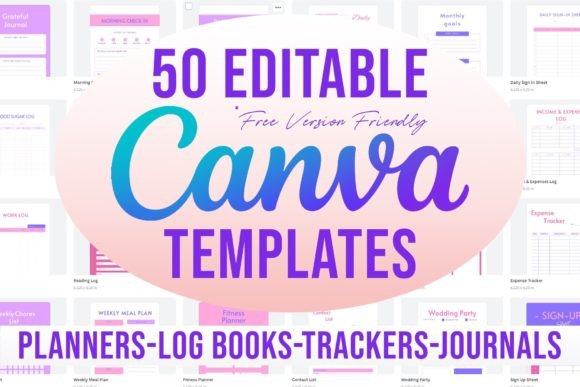
For anyone navigating the world of self-publishing, the gap between a manuscript and a polished, market-ready book can feel like a chasm. This is especially true for non-fiction authors, journal creators, and those building low-content books for platforms like Amazon KDP. The challenge isn't just the writing or layout; it's the design, the formatting, and the sheer time it takes to create professional-looking interior pages from scratch. What if you could bypass the steep learning curve of complex design software and access a library of ready-to-customize, print-ready pages? This is precisely the problem solved by a comprehensive collection of 50 Editable Canva Templates 6x9 for KDP.
A Practical Toolkit for Modern Publishers and Creators
This isn't a random assortment of files. It's a carefully curated set of 50 distinct templates, each built in the standard 6x9 inch format with bleed, ready for KDP submission. The visual style leans towards clean, modern typography and organized layouts. It prioritizes function and readability over flashy, trendy graphics. Think of it as a design asset library that serves as the backbone of your publishing projects. The personality is practical, efficient, and professional—exactly what you need when your goal is to produce a cohesive book that looks credible on a digital shelf.
The real value lies in its accessibility. Every template is designed exclusively with elements available in Canva's free plan. There are no hidden premium font requirements or locked graphics. You don't need a subscription to Adobe Creative Cloud or expertise in InDesign. If you have a free Canva account, you have everything you need to start customizing. The list of templates reads like a master checklist for productivity and organization, covering everything from business management to personal wellness and creative hobbies.
From Daily Planners to Niche Trackers: Real-World Applications
Imagine you're a small business owner wanting to create a branded planner for your clients. Instead of designing each page, you can select the Daily Planner, Weekly Planner, or Monthly Plan template, inject your brand colors and logo, and have a professional product in hours, not weeks. A fitness coach could use the Fitness Planner, Weekly Meal Plan, and Blood Sugar Log to create a comprehensive wellness journal. The templates for Expense Tracker, Budget Tracker, and Income & Expenses Log are perfect for entrepreneurs building financial workbooks.
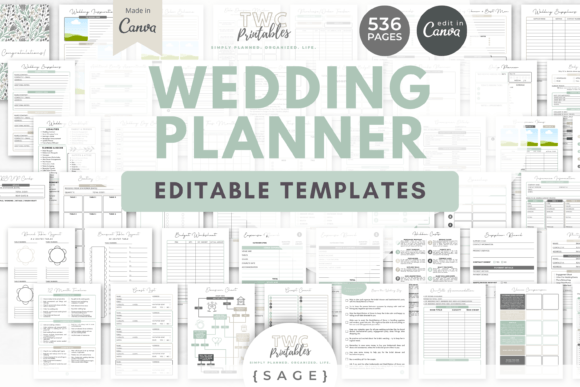
For the content creator or blogger, the applications extend to audience engagement. Use the Follower Tracker and Social Media Planner templates to design a workbook for your community. The Reading Log and Daily Journal are ideal for book reviewers or literary influencers. Even niche projects find support here: the Plant Tracker for gardening enthusiasts, the Wedding Contacts and Wedding Party sheets for planners, and the Medication Log for healthcare-related publications. Each template acts as a starting point, a structural foundation that you adapt to your specific audience and brand identity.
Enhancing Your Brand and Streamlining Your Workflow
Using a consistent set of templates does more than save time; it builds brand recognition and professionalism. When a customer buys your gratitude journal and later your productivity planner, the underlying design language—consistent margins, complementary font pairing, and unified style—creates a recognizable experience. This consistency is a cornerstone of strong brand identity. The templates provide a harmonious system, allowing you to mix and match elements like the To Do List, Habit Tracker, and Monthly Goals to create unique compilations that feel intentionally designed.
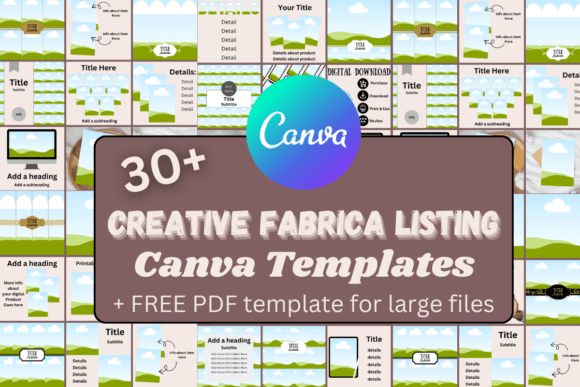
The workflow is brilliantly simple. The product comes as a PDF with clickable links to each of the 50 Canva files. You select the template you need, click the link to open it in Canva, and—this is the critical step—make a copy to your own account. This ensures the original file remains untouched, and you work on your personal version. You can then change every element: swap the sans serif font for a serif font to change the tone, adjust colors, add your logo to the Sign Up Sheet or Order Form, and completely personalize the content. The 6x9 size with bleed is already set, removing the technical headaches of print formatting.
Choosing and Adapting Templates for Maximum Impact
With 50 options, the key is to start with your end goal. Are you publishing a single book or a series? For a standalone project like a Wedding Planner, you might primarily use the Wedding Contacts, Wedding Party, and Monthly Planner templates. For a series of productivity books, you could create a core set using the Daily Schedule, Work Schedule, and Productivity Planner, then expand with the Meeting Notes and Work Log for a professional audience.
Don't be afraid to repurpose templates. The Contact List can become a client directory for a service-based business book. The Emotions Log can be adapted into a mood journal for mental wellness. The Daily Sign In Sheet could be transformed into an attendance tracker for a workshop manual. The strength of these editable sheets is their flexibility. They provide the professional layout and typographic hierarchy—the careful arrangement of headings, subheadings, and body text—that ensures readability and a pleasant user experience, which is paramount in any printed planner or journal.
Ultimately, this collection is a powerful engine for creation. It empowers entrepreneurs, marketers, and crafters to produce high-quality, commercially viable printables without the traditional barriers. It's about focusing your energy on your unique content and message, while relying on a solid, professionally designed framework to present it. In the crowded marketplace of KDP, the difference often comes down to presentation, and these 50 templates provide the tools to ensure your work looks as good as the ideas within it.