Designing Personalized Car Coasters with Canva & SVG Templates
That moment of dread when you glance at your car's cup holder and see the sticky residue of a spilled iced coffee is all too familiar. For years, the solution was a flimsy cardboard coaster that disintegrated within a week or a generic rubber mat that offered zero personality. But the world of custom car accessories has evolved, and the 2.8" car coaster has emerged as a perfect little canvas for expression. This isn't just about function; it's about creating a small, daily touchpoint of joy or branding in your vehicle. The challenge, however, has always been the design process. How do you create a perfectly sized, print-ready graphic for such a small, circular surface without wrestling with complex software? This is where a versatile template system changes the game entirely.
More Than a Template: A Versatile Design Toolkit
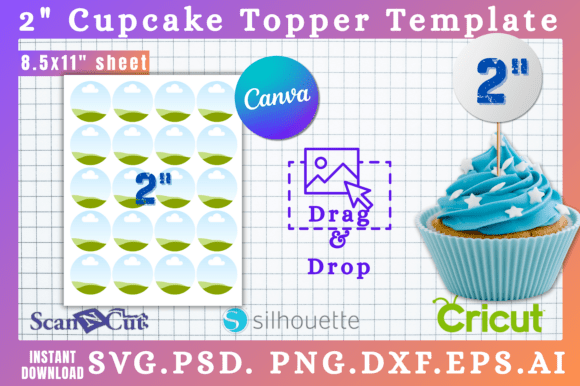
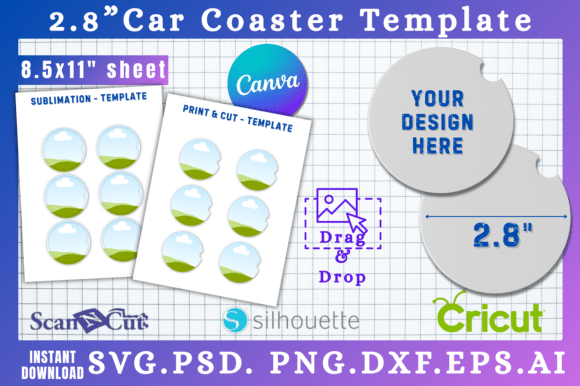
At its core, a 2.8" car coaster template is a pre-measured digital blueprint. But a high-quality template package is so much more. It’s a bridge between your creative idea and a polished, professional final product. The true value lies in the variety of file formats provided. Having access to SVG files means your vector designs will scale perfectly for cutting machines like a Cricut or Silhouette, ensuring clean, crisp edges every single time. This is non-negotiable for anyone creating products for sale or personal use where quality is paramount. The inclusion of a PNG with a transparent background is a lifesaver for quick mockups or for use in other design projects, eliminating the tedious task of manually clipping a circular object.
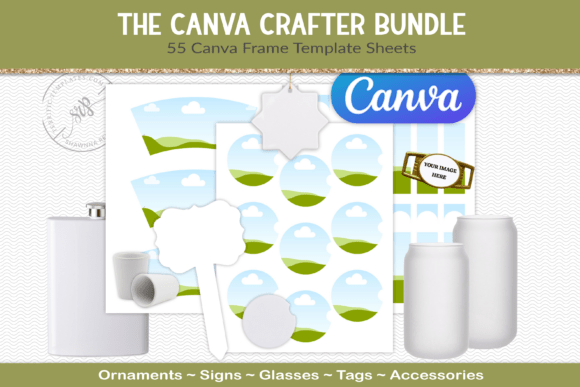
For those who live in Adobe's ecosystem, the PSD file offers full layer control, allowing for intricate adjustments. The DXF file speaks directly to Silhouette Studio users, ensuring compatibility without conversion headaches. And then there's the modern powerhouse: the Canva link. This feature democratizes the design process. It allows someone with no traditional design software experience to jump directly into a user-friendly, drag-and-drop environment and start customizing immediately. You can upload your brand's logo, apply your brand colors, or add a favorite quote in minutes. This multi-format approach acknowledges that creators use different tools and respects their preferred workflow, whether they are seasoned graphic designers or passionate hobbyists exploring a new craft.
Practical Applications: From Personal Gifts to Brand Extensions
The applications for these templates extend far beyond a fun project for your own car. Think about the small business owner who runs a coffee shop or a brewery. Creating a set of branded car coasters is a brilliant, low-cost marketing tool. Every time a customer uses that coaster in their vehicle, it's a subtle, repeated impression of your brand identity. It transforms a simple giveaway into a functional piece of merchandise that keeps your logo in their line of sight. For entrepreneurs and content creators, these coasters can become part of a merchandise line, sold alongside other branded items like stickers or mugs. The design process is streamlined, allowing you to focus on the creative concept rather than technical file preparation.
On a personal level, the possibilities are endless. Create a set of coasters for a friend who loves a specific sports team, using their logo and colors. Design a personalized gift for a new driver in the family. Craft a themed set for a wedding party or a baby shower favor. The 2.8" size is perfect for adding a monogram, a significant date, or a tiny, intricate illustration. The key is to treat the circular canvas intentionally. A bold, simple graphic often has more impact than a cluttered design. Consider how the coaster will look from the driver's perspective—will the text be legible? Is the central image clear? The template provides the boundaries, but your design sense guides the story.
Integrating Coasters into a Cohesive Brand Strategy
For any business, consistency is the bedrock of a strong brand identity. When you develop marketing materials, from your website and social media graphics to your packaging design and print collateral, every element should feel connected. A custom car coaster is another touchpoint in that ecosystem. The design you create should be informed by your existing brand guidelines—your primary color palette, your logo, and the overall personality of your brand. If your brand voice is playful and modern, your coaster design should reflect that with a fun script font or a vibrant illustration. If your brand is more minimalist and professional, a clean sans serif font and a simple logo mark would be more appropriate.
This is where a template's utility truly shines. By working within the provided 2.8" circle, you are forced to prioritize the most essential elements of your brand mark. It’s an exercise in effective logo design and visual hierarchy on a micro scale. Can you make your logo recognizable and your core message clear in that small space? This constraint can actually lead to more powerful and versatile branding solutions. The process of designing for a car coaster can help you refine your brand's visual assets to be more robust and adaptable across all mediums. It’s not just about making a coaster; it’s about strengthening your overall design system.
Smart Design Choices for Lasting Results
Before you dive into the design, a little planning goes a long way. First, consider the material you'll be printing on. Car coasters are typically made from absorbent cork-backed ceramic or thick cardboard. Bright, high-contrast colors tend to stand out best and are more easily visible from the driver's seat. Intricate, low-contrast designs might get lost visually. Think about readability as a primary goal. If you're using text, choose a typeface that is clear and bold. A delicate, thin script font might look beautiful on screen but could become illegible when printed at a small size on a textured surface.
Next, test your design. Don't just create it in isolation. Place it on a digital mockup of a car cup holder to see how it will actually look in context. Check the balance—does the design feel centered and intentional within the circle? If you're creating a set, do the designs look cohesive together? Finally, pay attention to the technical details. Ensure your final exported file is set to the correct dimensions (2.8 inches in diameter) and uses a high resolution, typically 300 DPI, for print. If you're using a cutting machine, make sure your SVG is properly formatted with clean lines. By combining the efficiency of a well-built template with thoughtful design principles, you can create a car coaster that is both a functional accessory and a powerful piece of personal or professional expression.